{{ 'fb_in_app_browser_popup.desc' | translate }} {{ 'fb_in_app_browser_popup.copy_link' | translate }}

{{ 'in_app_browser_popup.desc' | translate }}

Order Checkout Notes: When selecting a delivery option, please carefully choose the district, as incorrect information will affect your progress to checkout

We proudly present our locally bred Ping Yuen Chicken, Tin Hong Chicken. For the best chickens, come to us!

SF Express charges HK$10 for deliveries to remote areas of Hong Kong. Please inform SF Express staff that this fee will be paid by Healthy Express.

Order Checkout Notes: When selecting a delivery option, please carefully choose the district, as incorrect information will affect your progress to checkout

We proudly present our locally bred Ping Yuen Chicken, Tin Hong Chicken. For the best chickens, come to us!

SF Express charges HK$10 for deliveries to remote areas of Hong Kong. Please inform SF Express staff that this fee will be paid by Healthy Express.

Order Checkout Notes: When selecting a delivery option, please carefully choose the district, as incorrect information will affect your progress to checkout

How to set up Payme with FPS function?

How to set up PayMe with FPS function?

  1. First, in PayMe, look for the "gear" (⚙️) in the upper right corner

  2. Then enter the verification code via SMS and enter the "Settings" page

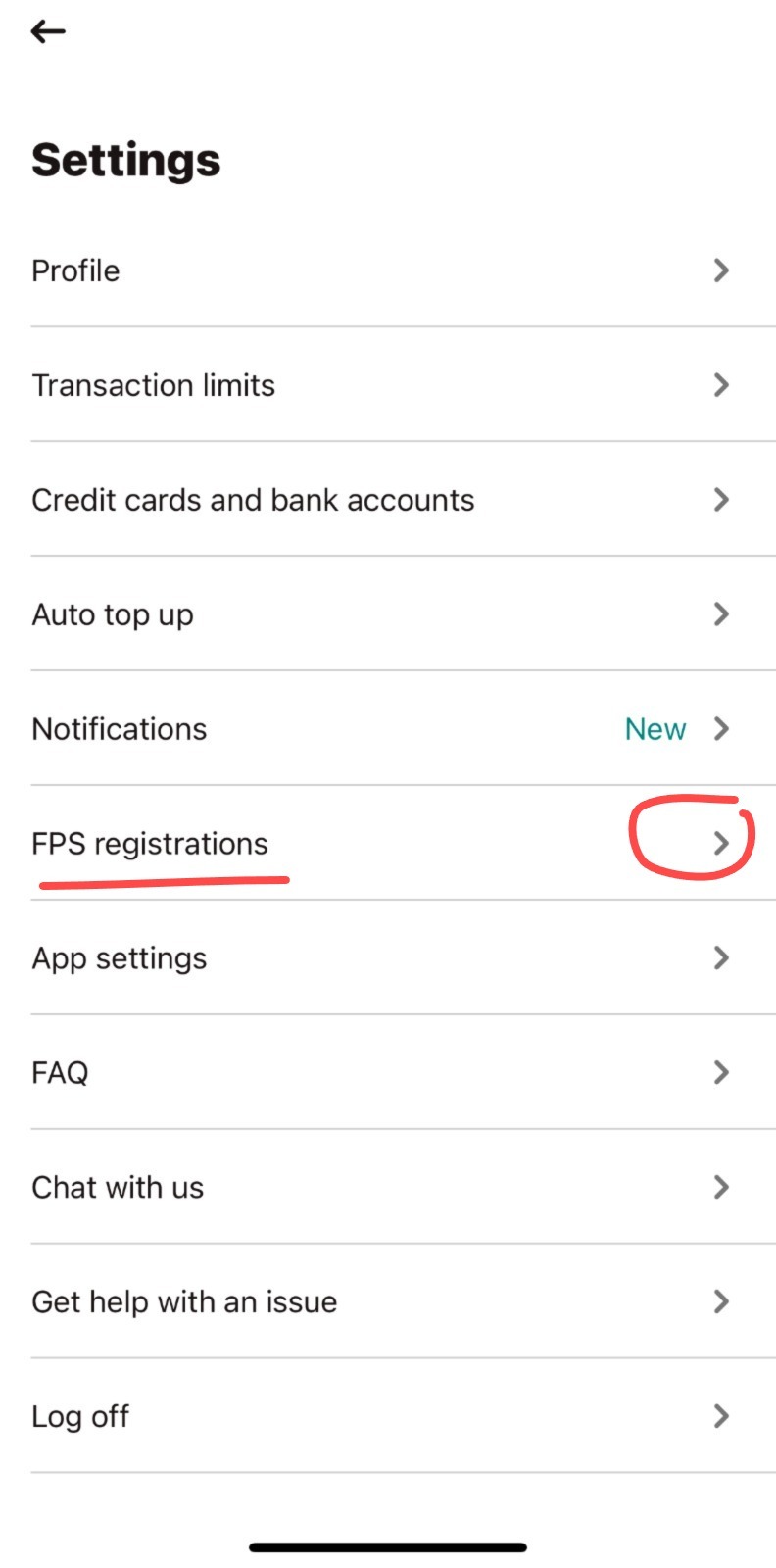
  3. Click "FPS Registrations"

    FPS Registrations

  4. 在FPS 登記 (FPS Registrations) 這一頁,將Payme設定為「預設」(Set As Default)
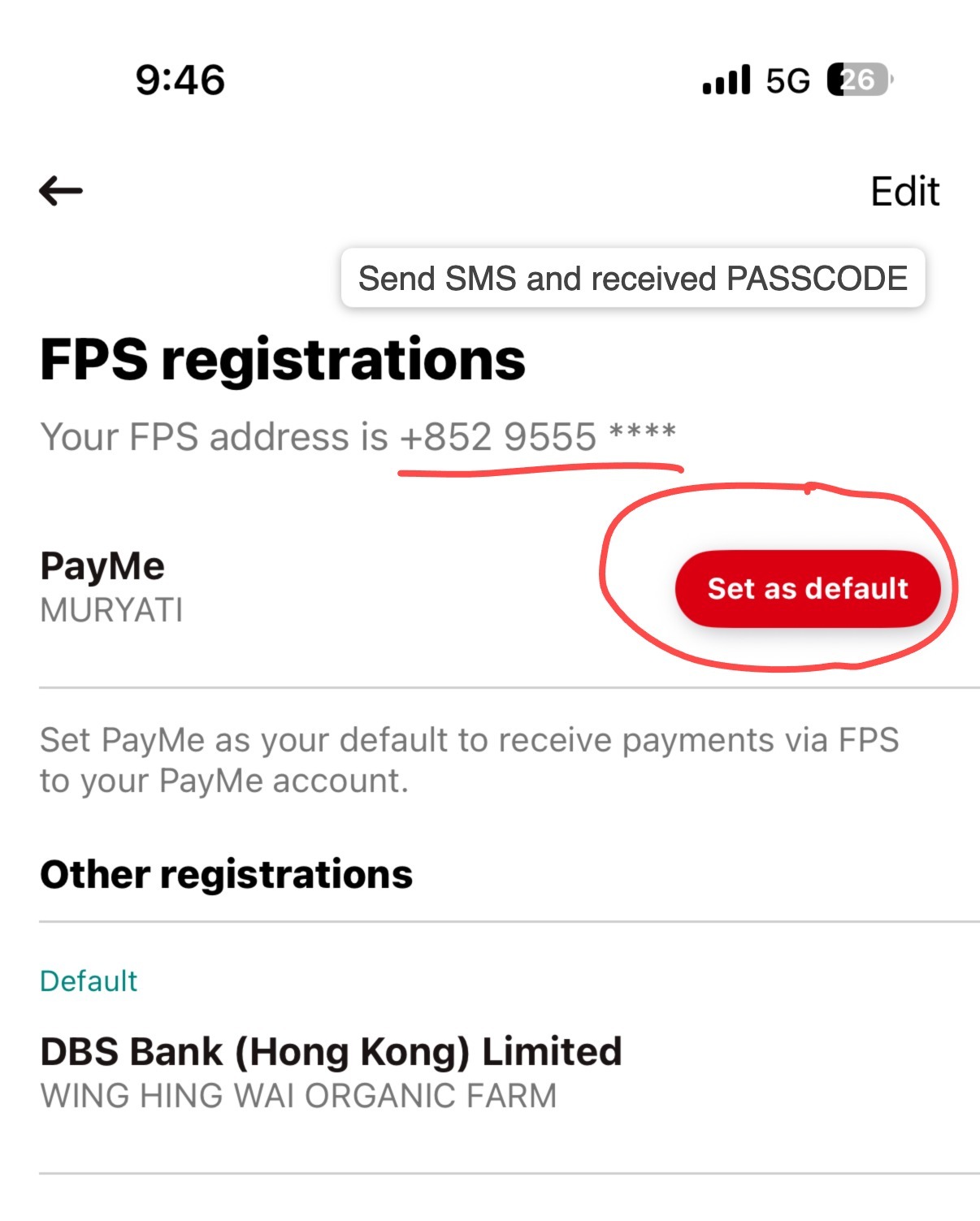
    Set as default