🔆 ⚠️ Important Information: We have completely suspended the use of PayMe. Customers are requested to stop using PayMe's instant payment tool as a payment method. If you still need to use PayMe, please refer to the following instructions to use PayMe's Faster Payment System (FPS). ‼

If the online payment cannot be completed due to technical reasons, you can use your PayMe mobile app and use the Healthy Express QR code to make the payment again. You can use the steps below, or tap our Healthy Express PayCode on your phone to make a payment.
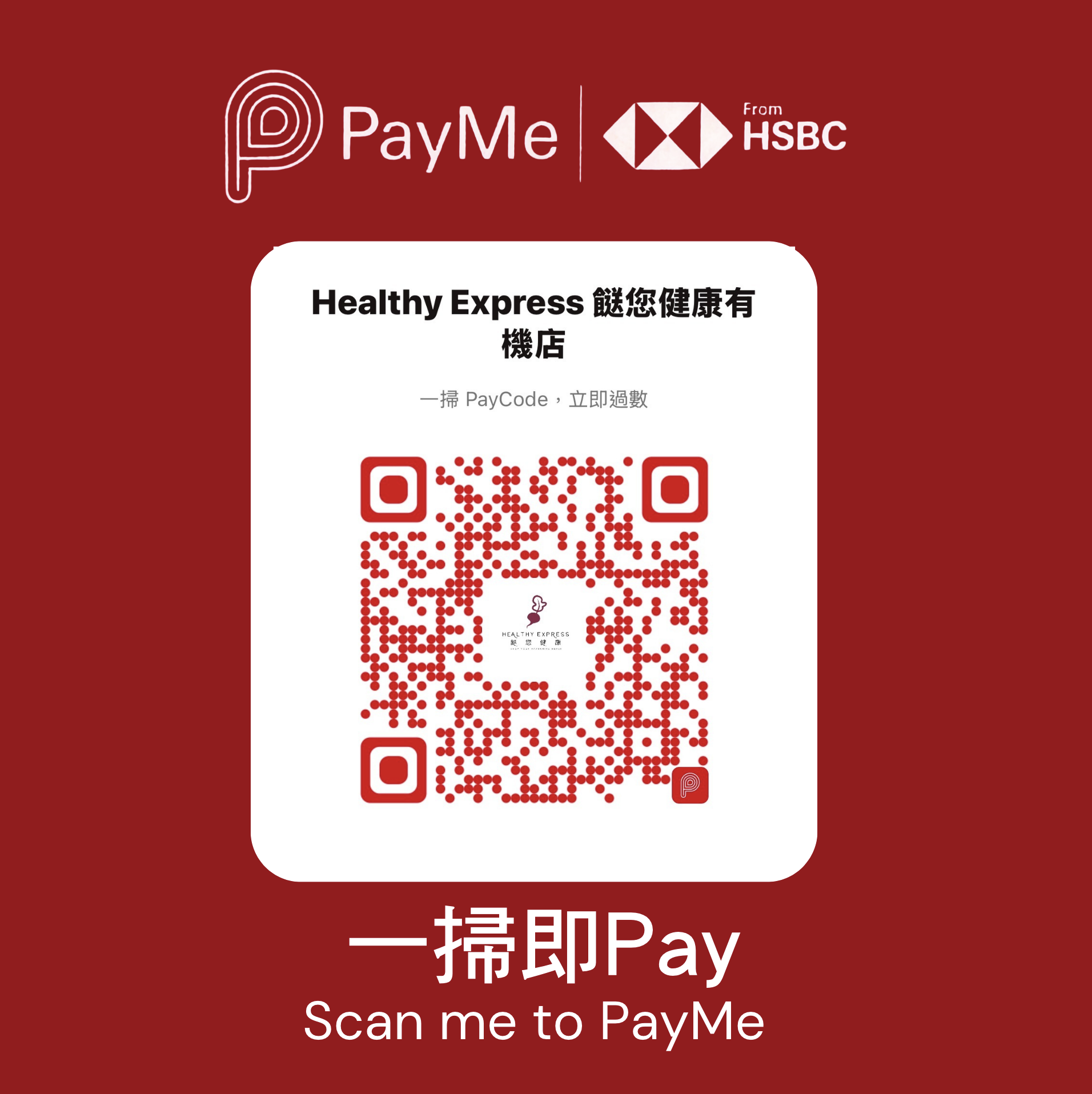
Pay by PayMe QR code offline:
Step 1: Use PayMe mobile app
Download and open the mobile app on the mobile phone, go to the PayMe app, and activate the scanning function.
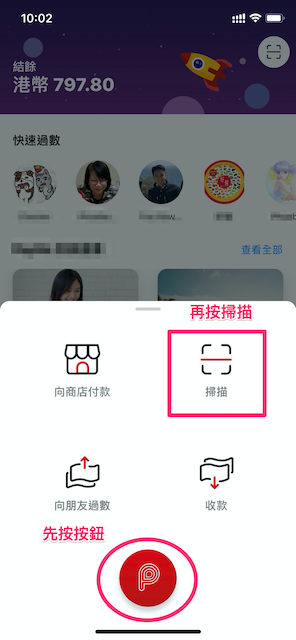
Step 2: Scan QR code
When the page will jump to the scan QR code page, scan the "Daily your health QR code" seen in this page.
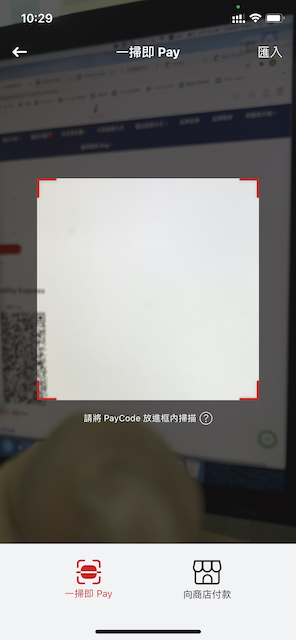
Scan "Healthy Express QR code" :

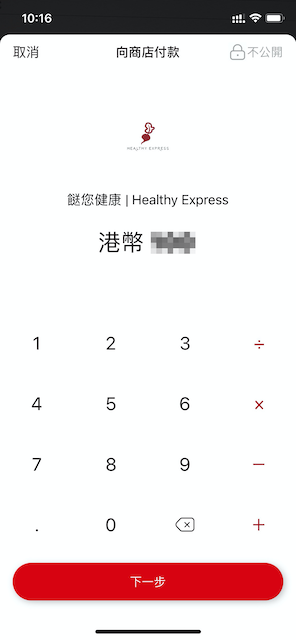
Step 3: Enter the order payment amount
When the customer completes the "Scan Healthy Express QR code" in the second step, the page will jump to the "Pay to the store page" and enter the order amount so that PayMe can complete the transaction.
If you have an online bank account and have not yet applied for PayMe, you can refer to this information how to register PayMe.


