Order Procedure
New User Registration
1. Press【Log In】
2. Press【Sign up】. Fill in the following information (Full Name, Sign up via mobile number, 8 characters password, etc.) to register. You can quickly register successfully.
How to order
1. Online ordering: Go directly to the online order for Healthy Express of high-quality products. After we receive the order, we will confirm the order content by WhatsApp, Email, and SMS; if the order is not received by WhatsApp, Email, or SMS confirmation after 24 hours, Please do not hesitate to contact us (9469 7496).
2. WhatsApp inquiry: 9469 7496
Shopping process
1. Press【Directory】
2. Click 【Member Login】
3. After selecting the product and quantity, press【Add to Cart】or【Buy Now】.
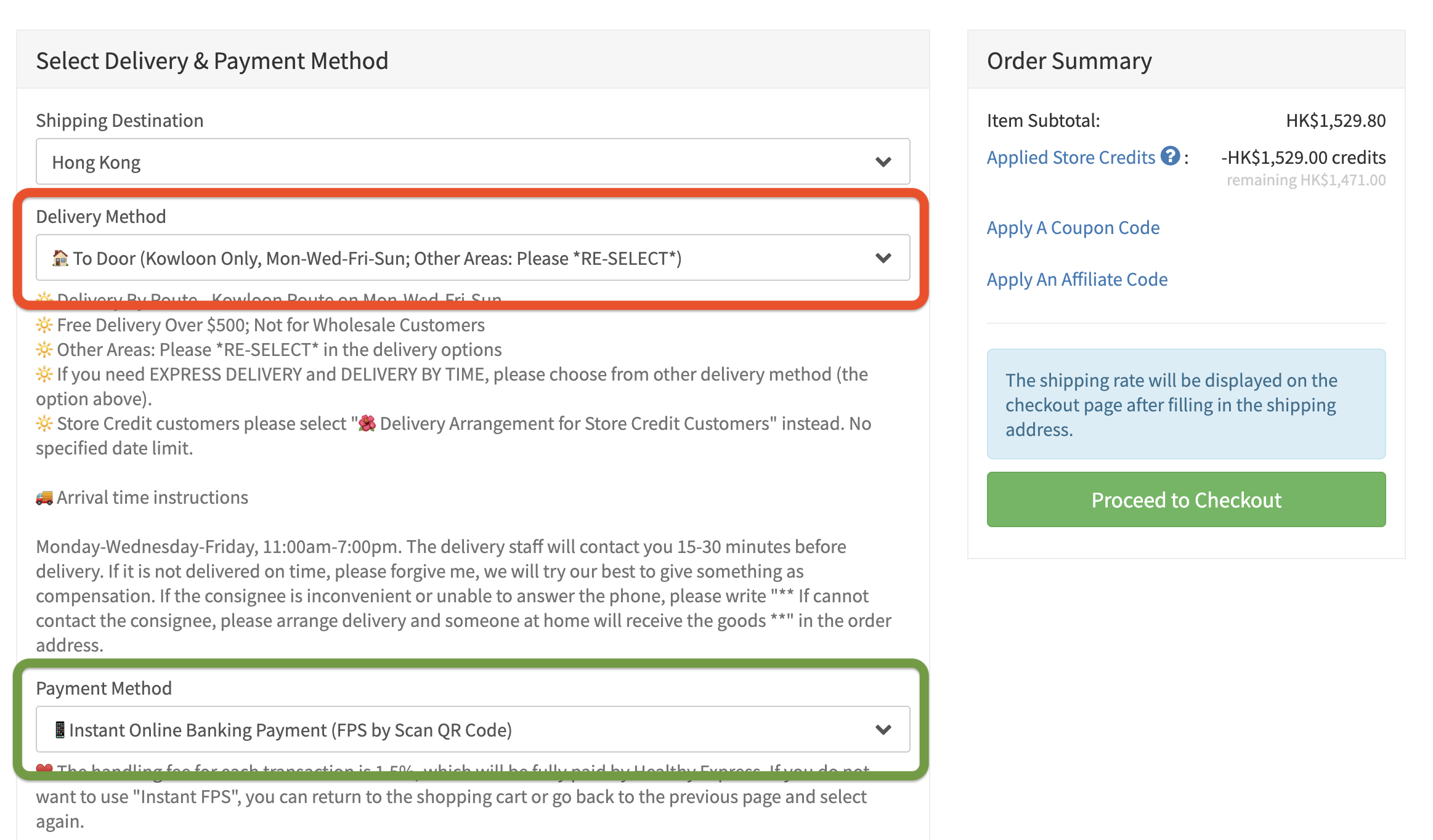
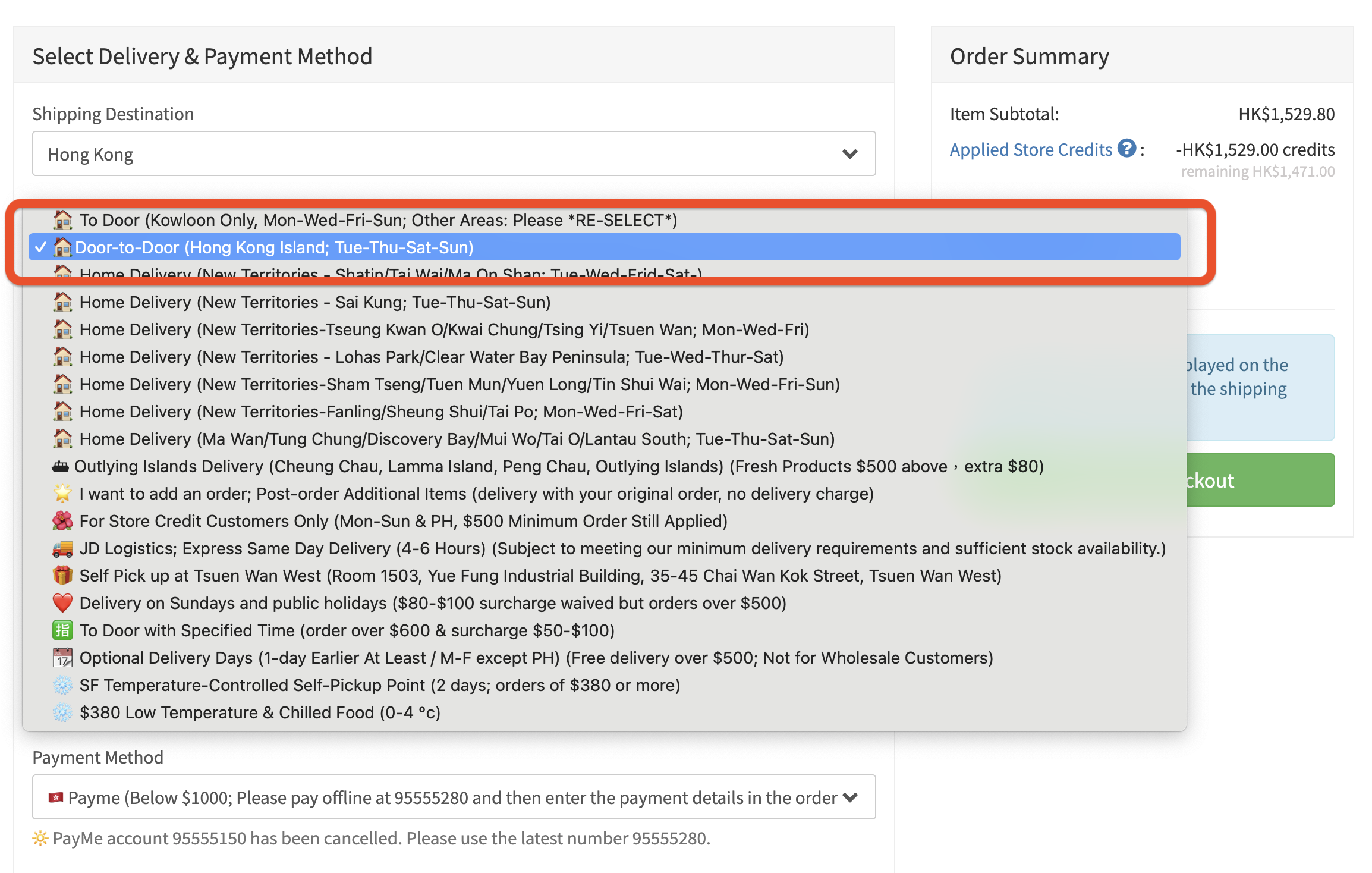
4. Click【Checkout】to place your order. After selecting the product and quantity, click "Add to Cart" or "Buy Now" in the product selection menu, and then choose "Delivery Options".Choose【Delivery Option / Area】(Kowloon Areas, HK Island, .... Etc.), and then fill in the delivery address and date on the next page.
5. We accept the method PayMe, Apple Pay, Google Pay and credit card.
6. Please fill in the delivery address and phone number. After we receive the order, we will confirm the content details of an order by WhatsApp, Email, and SMS message, and arrange the delivery time; if you do not receive the confirmation call after 24 hours, please contact us (9469 7496).
Important Notes:
If you are unable to select a delivery region when submitting your order, please return to the previous page (Back) and then select your region AGAIN for delivery method (as we deliver by region). Our system defaults to "Door-to-Door Delivery - Kowloon". Therefore, if you haven't changed your delivery area, you won't be able to fill in the delivery zone for Hong Kong Island at checkout. If you encounter this situation, please go back to the previous page and then reselect your delivery method (see the image below).